RESOURCES
Pre-Spray Season Checklist: Get Ready for a Successful Season with AcreConnect®
Follow these quick steps to prepare for a smooth, successful spray season.
Spray season moves fast—so taking time now to prepare your AcreConnect® account can save you time (and headaches) later. Use this quick checklist to make sure everything is dialed in before your first flight.
1. Try our New Design Functionality
We’ve refreshed AcreConnect® to make it easier to navigate, faster to use, and better aligned with how you actually work in the field. The update focuses on reducing friction and helping you get more out of every spray season—while keeping the tools you already know and trust.
To get started, look for the banner at the top of your
AcreConnect®
account.
- Explore updated mapping features
- Test new tools before the season starts
- Get familiar so you can move faster in the field
Need help? Contact our customer success team.
2. Start Qualifying for the Spray Season Challenge
Why not get rewarded for the work you’re already doing? Starting June 15, simply by using AcreConnect®, you’ll be entered for a chance to win monthly prizes—up to $500 for paid users. Trial users can also earn a discounted subscription, with a choice of either a $250 annual plan or a $25 per month plan during the program duration.
Complete your one-time account setup, then finish 3 of these 4 tasks each month:
- Upload at least 3 flight logs
- Generate at least 1 application map
- Create at least 1 work order
- File at least 1 product usage report
Want to learn more? Check your AcreConnect® dashboard to track your progress and view the official rules.
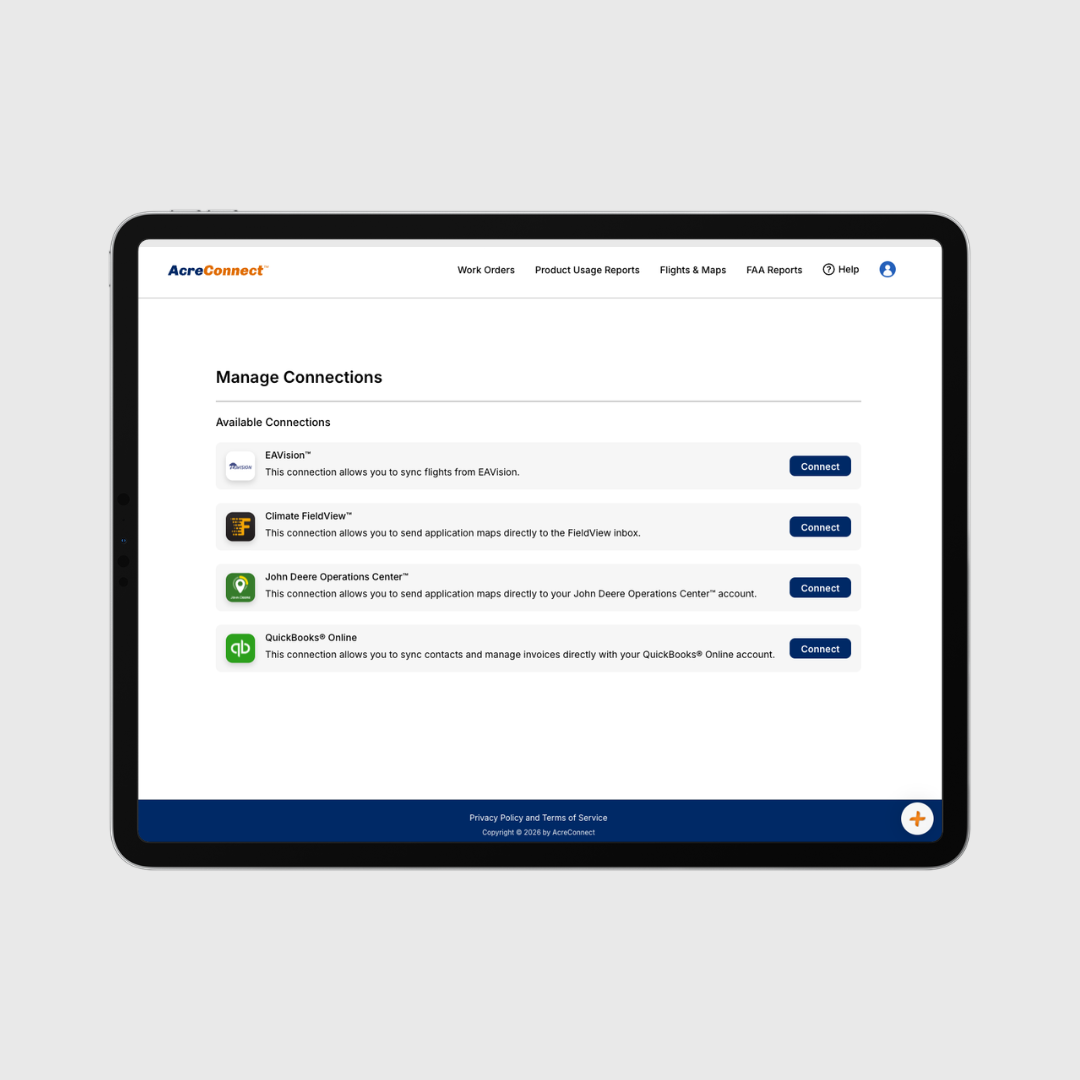
3. Check Your Connections & Re-Sync Data
Integrations are critical for smooth operations. Take a few minutes to confirm everything is connected and syncing correctly.
- Make sure your John Deere Operations Center™ or Climate FieldView™ account is connected with authorized organization enabled for easy application map sharing.
- Ensure your QuickBooks® Online account is connected and re-synced to ensure all of your customer data is up to date.
- If you have an EAVision drone, connect your accounts to allow for automatic log file syncing.
Need help? Check out our collection of connection center articles in our Knowledge Center.
4. Update Your Drone Equipment List
Make sure all your drones and related equipment are accurately listed and up to date in AcreConnect®.
- Add any new drones or remove old ones
- Confirm make, model, serial number, registration number and flight controller serial code details are correct
Need help? Read this article in our Knowledge Center to get you started.
5. Update Org Details & Certifications
Stay compliant and professional by making sure your organization info is complete.
- Verify business details and contact info
- Ensure your certifications and exemptions are up to date.
- Ensure that all users in your account are set to the correct role and status according to your subscription.
Need help? Read our account setup and managing your subscription articles in our Knowledge Center.
6. Get on the Service Provider Map
Make it easier for customers to find and contact you.
- Create your profile on the AcreConnect® Service Provider Map
- Double-check business details, years in service, hours flown, acres flown, and services offered.
- Certify that you meet insurance and Part 137 certification requirements.
Need help? Read
this article
in our Knowledge Center.
7. Get to Know your CS team
Our Customer Success (CS) team is here to help you get the most out of AcreConnect®—before, during, and after spray season. Whether you’re setting up integrations, troubleshooting in the field, or looking for ways to streamline your work, they’ve got tips and advice to make you more efficient.
- Reach out early to get ahead of any setup questions
- Lean on them for best practices, tips and tricks
- Get fast support when you need it most during the season by calling, emailing or using our online chatbot tool.
The more familiar you are with your tools and your support team, the smoother your season will run.
Have questions, feedback or need support? Email our
customer success team,
give us a call (319-201-3020 ext. 2) or
share your feedback here.
share this
past blog posts
Related blogs